One team inbox for every WhatsApp number you use
A WhatsApp shared inbox lets several people answer the same WhatsApp numbers without passing a phone around. With Timelines you scan a QR code for each number you already have, add as many teammates as you like at no charge, and pay $9.99 a month per connected channel. The 7 day trial is free and needs no card.
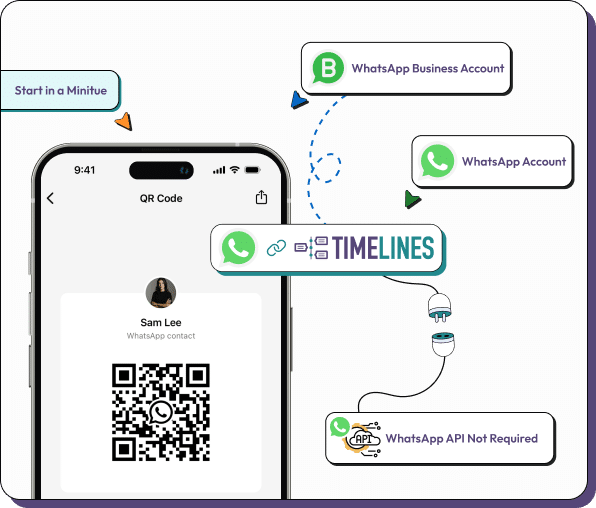
- Link personal or Business app numbers with a QR code, no Business API
- Unlimited team members, free of charge
- $9.99 per channel slot per month, 7 day free trial, no card
- Telegram, Instagram, Messenger and web chat can sit in the same inbox
What changes when a team shares the inbox
Sharing a number is less about screens and more about who owns each conversation.
Every chat has an owner
Assign a conversation to a teammate, leave an internal note, or @mention a colleague. Customers get one consistent answer instead of two.
Your phone stays in use
Timelines joins as a linked device, much like WhatsApp Web, so the WhatsApp or WhatsApp Business app on the phone keeps working.
Roles and separate teams
Give people the Admin, Manager or Agent role, and split a workspace into teams that only see their own conversations.
Replies drafted for you
AI proposes a reply from your knowledge base. Edit it, send it, or let a teammate take over the chat.
Voice notes and images, readable
AI voice transcription turns voice notes and calls into text you can search, and AI vision reads photos and documents.
Web, iOS and Android
The same inbox runs in the browser and in the mobile apps, so answering does not depend on a desk.
What it costs, worked out
Pricing follows what you connect, never how many people log in. A channel slot is one connected number or account, such as a WhatsApp number, a Telegram account, an Instagram or Messenger account, a phone number or a web chat widget, and costs $9.99 per month. Each Integration costs $4.99 per month.
Example: a support team has two WhatsApp numbers and one Telegram account, and logs conversations in HubSpot. That is 3 channel slots at $9.99, which is $29.97, plus 1 Integration at $4.99. The total is $34.96 a month. Hiring a seventh or a seventeenth teammate leaves the bill unchanged, because team members are unlimited and free.
The 7 day free trial needs no card and includes one CRM integration. See the full pricing for how adding and removing slots is billed.
Set up a shared WhatsApp inbox in four steps
Plan for a few minutes per number.
Create a workspace
Sign up for the free trial. No card is asked for.
Scan a QR code per number
On the phone, open WhatsApp, then Settings, then Linked Devices, and scan the code Timelines shows.
Invite your teammates
Add people by email and choose their roles. There is no per-person charge.
Answer together
Chats arrive in one list. Assign them, add notes and reply from any device.
When this fits and when another route is better
Timelines suits teams that already talk to customers from regular WhatsApp or WhatsApp Business app numbers and want everyone to work from the same list. If you need Meta's official WhatsApp Business Platform, with approved message templates and a verified business profile, read how the routes differ on the business number page.
Running several numbers for different brands or regions? Multi-number management explains how they share one workspace. Using a personal number for work? See connecting a personal number.
Questions about the WhatsApp shared inbox
Beyond WhatsApp: the same inbox for your other chats
WhatsApp, Telegram and phone
Link personal and Business app WhatsApp numbers and Telegram accounts with a QR code or a login code, and buy Voice numbers in the app. No API application is involved.
Instagram, Messenger and web chat
Add Instagram direct messages, Facebook Messenger and a web chat widget for your site, so a customer on any of them reaches the same team.
AI reply drafts and a knowledge base
AI suggests a reply that a teammate can edit and send, and agents can answer from your knowledge base. A person can take over any chat at any moment.
Ready to share your WhatsApp numbers with the team?
Start the 7 day free trial. No card needed, and teammates are free.