Connect Your Business WhatsApp Number to a Shared Inbox — Without the API
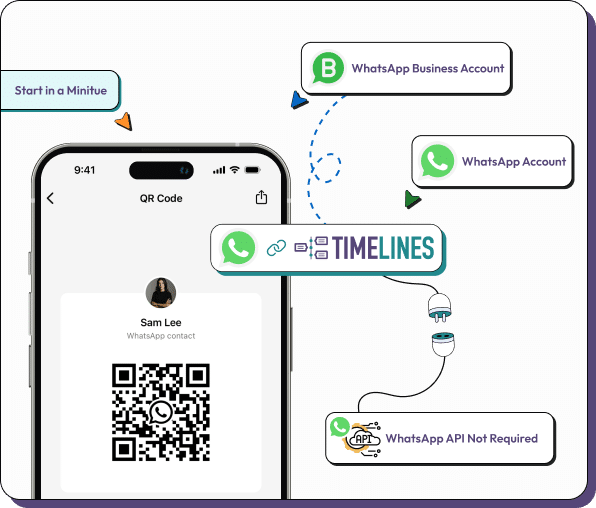
Timelines is the AI-powered shared inbox for WhatsApp, Telegram, and phone (voice & SMS). Connect any WhatsApp account, including dedicated business phone numbers, via QR code scan. Setup takes under 5 minutes.
- QR code setup in under 5 minutes
- No WhatsApp Business API required
- AI agents, knowledge base, voice transcription, and vision built in
- One shared inbox for WhatsApp, Telegram, and phone
Complete WhatsApp Business Number Management
Everything you need to run your business WhatsApp in one AI-powered shared inbox
Shared Inbox for Team Collaboration
View conversations from multiple business numbers, assign messages to team members, and reply together in real time.
AI Agents and Knowledge Base
AI agents answer common questions from your knowledge base, draft replies, and summarize conversations so your team responds faster.
Unlimited Business Numbers
Connect multiple WhatsApp numbers to one workspace. Each user connects via QR code with centralized management.
WhatsApp, Telegram, and Phone in One Place
Bring WhatsApp, Telegram, and phone (voice & SMS) into a single inbox, with AI voice transcription and vision for media.
Mobile App Access Maintained
Continue using WhatsApp Business app on mobile. Works as a linked device, just like WhatsApp Web.
No Profile Modifications
Keeps your existing WhatsApp Business profile intact. Display name and settings remain unchanged.
Get Connected in 3 Steps
No technical skills required
Create Account
Sign up for Timelines and start your free one-week Starter trial.
Scan QR Code
Open WhatsApp Business app, go to Settings > Linked Devices, and scan the QR code.
Start in Your Shared Inbox
Conversations appear in your shared inbox immediately, with AI agents and team assignment ready to go.
What Teams Are Saying
Frequently Asked Questions
AI Built In, Across WhatsApp, Telegram, and Phone
WhatsApp, Telegram & Phone
Connect business and personal WhatsApp, Telegram accounts, and phone numbers (voice & SMS) into one shared inbox via QR code, no API required.
AI Agents & Knowledge Base
AI agents answer from your knowledge base, draft replies, and summarize threads so your team responds faster and never misses a message.
AI Voice & Vision
AI voice transcription turns calls and voice notes into searchable text, and AI vision reads images and documents shared in chats.
Ready to Connect Your Business WhatsApp?
No credit card required. Start your free one-week Starter trial today and connect your business WhatsApp number to your AI-powered shared inbox in minutes.