Share your personal WhatsApp number with your team without handing over your phone
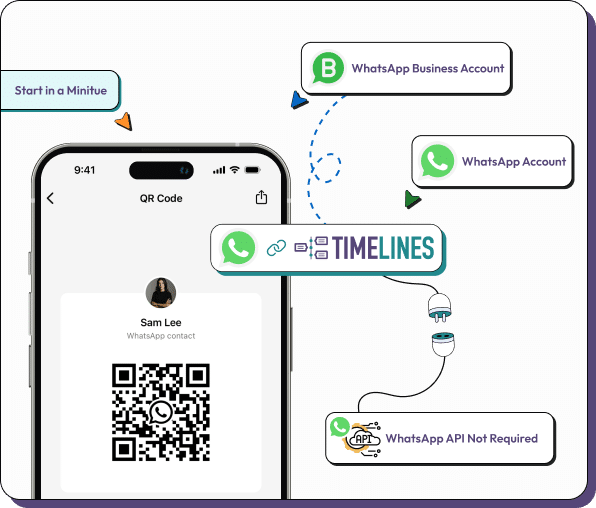
Yes, a personal WhatsApp number can feed a team inbox. Scan a QR code from Linked Devices, keep the number and the phone you have, and your teammates answer from Timelines instead of borrowing the handset. Teammates are free, and the number costs $9.99 a month as one channel.
- Keep your own number, phone and WhatsApp app
- Link it with a QR code in a few minutes
- Customers see no change on their side
- 7 day free trial, no card needed
Why people connect a personal number
Many small businesses grew on one person's WhatsApp. This keeps that number and adds the team.
Founders and freelancers
Keep clients on the number they already know, and let a colleague cover while you are away.
Shops and clinics
Bookings and questions often arrive on a personal-looking number. A shared inbox stops them depending on one person.
Handover without a new number
When responsibility changes, give the person workspace access instead of the SIM card.
Notes and ownership
Assign a chat, add a private note and see who answered last.
AI help for replies
AI proposes a reply for you to edit, and summarizes long conversations.
Phone, tablet or laptop
Use the web app or the iOS and Android apps.
Connect a personal number in three steps
Plan for about two minutes.
Sign up and open the QR code
Create a workspace for the 7 day trial. No card is needed.
Scan from Linked Devices
On your phone open WhatsApp, then Settings, then Linked Devices, and scan the code.
Invite the team
Add teammates for free, choose roles and assign chats.
Privacy and limits worth knowing
Connecting a number brings its chats into the workspace. If the number also carries family chats, think about who you invite, or move work to a dedicated number. You stay in control: removing the linked device in WhatsApp ends the connection.
A QR link is not Meta's official Business API, so it does not provide approved templates or a verified profile. The business number page compares the routes. WhatsApp also limits linked devices per account, and Timelines uses one.
Cost check: one personal number is $9.99 a month. Add a second WhatsApp number and a Telegram account and three slots cost $29.97, or $34.96 with one Integration at $4.99. People on your team never add to it.
Questions about connecting a personal WhatsApp number
The same inbox for your other chats
WhatsApp, Telegram and phone
Link personal and Business app WhatsApp numbers and Telegram accounts with a QR code or a login code, and buy Voice numbers in the app. No API application is involved.
Instagram, Messenger and web chat
Add Instagram direct messages, Facebook Messenger and a web chat widget for your site, so a customer on any of them reaches the same team.
AI reply drafts and a knowledge base
AI suggests a reply that a teammate can edit and send, and agents can answer from your knowledge base. A person can take over any chat at any moment.
Ready to share your number?
Scan once and bring the team in. The 7 day trial needs no card.