Built-in Workflow Builder for WhatsApp

Automate your WhatsApp conversations with powerful visual workflows. Save hours every day while delivering personalized customer experiences — no coding required.

  • Drag-and-drop visual builder — no coding required
  • Automate replies, follow-ups, reminders, and routing
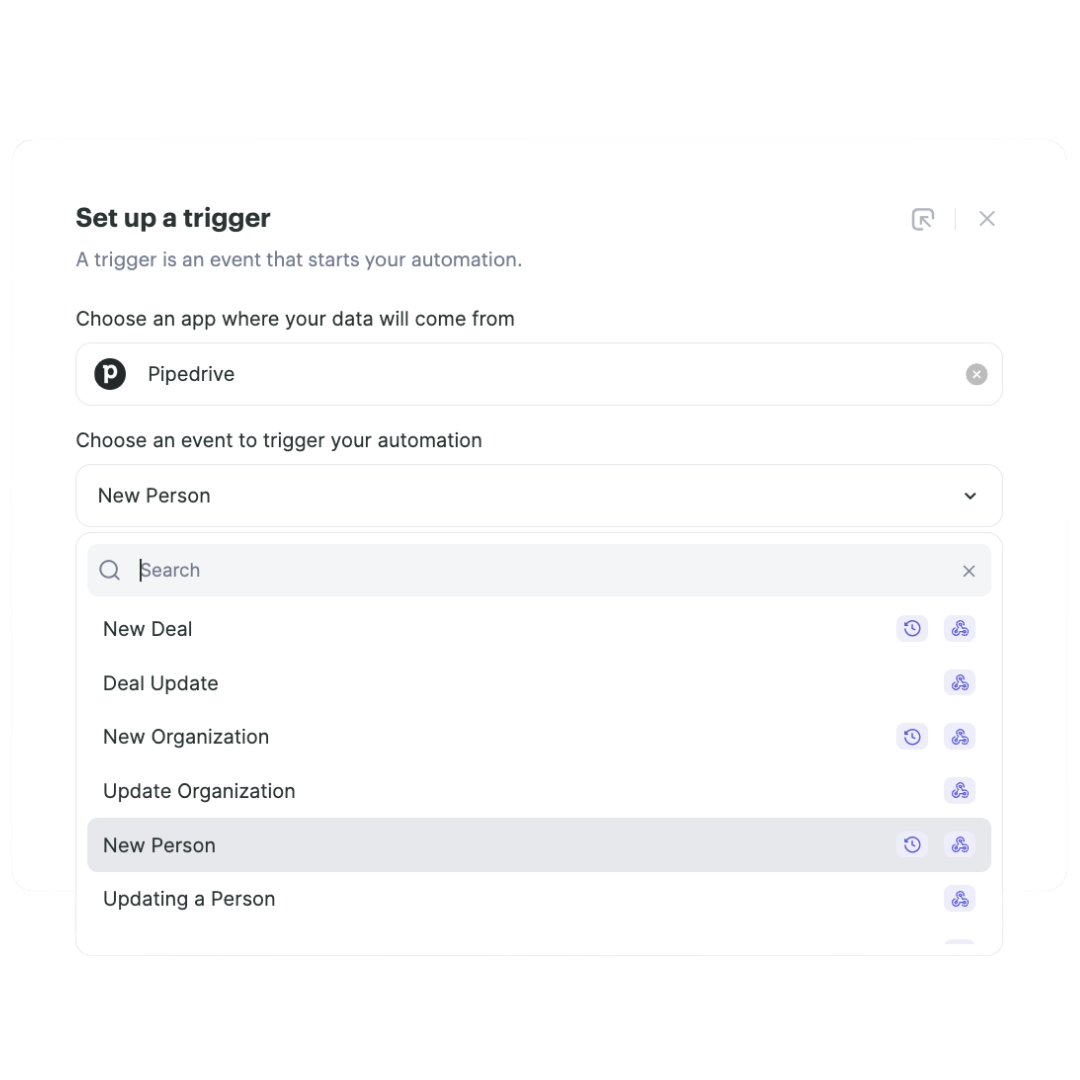
  • Trigger workflows from incoming messages, new contacts, or CRM events
  • Test mode to preview workflows before going live
4.8/5 on G2 & Chrome Store
Timelines Workflow Builder for WhatsApp automation

Turn Repetitive Tasks into Automated Workflows

With Timelines's visual Workflow Builder, anyone on your team can create powerful automations that save hours every day.

Instant Response Times

Never keep a customer waiting. Workflows respond in milliseconds, 24/7. Your customers get immediate acknowledgment while your team focuses on complex conversations.

Perfect Follow-Up, Every Time

No more missed opportunities. Set up sequences that follow up at the optimal time, with the right message, based on customer behavior and engagement.

Scale Without Hiring

Handle 10x more conversations without adding headcount. Workflows manage routine inquiries while your team focuses on high-value interactions.

Consistency Across Your Team

Ensure every customer gets the same high-quality experience. Workflows standardize responses while maintaining personalization through dynamic variables.

How to Create Your First Workflow

Get started with workflow automation in just a few steps.

1

Choose a Trigger

Select what starts your workflow — a new incoming message, a new contact, a keyword match, or a scheduled time.

2

Add Actions

Drag and drop actions like sending messages, adding tags, updating CRM records, or routing to team members.

3

Set Conditions

Add if/then logic to create branching paths. Personalize the flow based on contact data, message content, or time of day.

4

Test & Activate

Preview your workflow with test data to verify it works correctly, then activate it to start automating your WhatsApp communication.

5

Monitor & Optimize

Track workflow performance with built-in analytics. See how many times each workflow runs, response rates, and optimize based on real data.

What Teams Say About Workflow Builder

Saves us hours every single day

We automated our welcome messages, follow-ups, and appointment reminders. Our team now focuses on closing deals instead of typing repetitive messages.

Sales Team Lead

G2 · 2024

No-code automation that actually works

I'm not technical at all, but I set up 5 workflows in my first week. The drag-and-drop builder is incredibly intuitive and the test mode gives confidence.

Customer Success Manager

Capterra · 2024

Game-changer for our response times

Our average response time went from 2 hours to under 2 minutes. Workflows handle the initial response and qualification, then route to the right agent.

Support Operations Director

G2 · 2024

Frequently Asked Questions

Almost any WhatsApp-related task! Common automations include welcome messages for new contacts, follow-up sequences, appointment reminders, lead qualification flows, support ticket creation, CRM updates, team notifications, and much more.
Most teams save 2-4 hours daily on routine tasks. For example, a simple welcome message workflow saves 5 minutes per new lead. With 20 leads daily, that's over 1.5 hours saved. Our data shows teams automate 80% of repetitive WhatsApp tasks within the first month.
Any step that does something after a trigger fires counts as one action. This includes sending a WhatsApp message, updating a CRM record, creating a task, adding a tag, or sending data to another app. Triggers are always free.
Yes, every workflow has a test mode where you can run it with sample data to see exactly what will happen. You can preview messages before they're sent and check all data mappings.
Your active workflows will pause until the next billing cycle, but you'll get notifications at 80% and 90% usage so you can upgrade if needed. You can also set high-priority workflows to continue running.
Yes, the visual builder makes it easy to recreate any automation you currently have. Whether you're using spreadsheets, other tools, or manual processes, our templates and drag-and-drop interface make migration straightforward.
Not at all. Workflow Builder uses a visual drag-and-drop interface. Anyone on your team can create workflows without writing a single line of code.
Yes, workflows can connect to any CRM that integrates with Timelines — including HubSpot, Pipedrive, Zoho, Salesforce, and any tool via Zapier or webhooks.
The number of workflows depends on your plan. All plans include multiple workflows, and you can create as many as you need. The limit is on monthly actions, not the number of workflows.
Yes, we offer pre-built workflow templates for common use cases like welcome messages, follow-up sequences, appointment reminders, and lead qualification. Just pick a template and customize it.
Integrations

Connect Workflows to Your Favorite Tools

Ready to Automate Your WhatsApp Communication?

Join 2,500+ teams that save hours every day with Timelines's Workflow Builder. Start your free 10-day trial — no credit card needed.
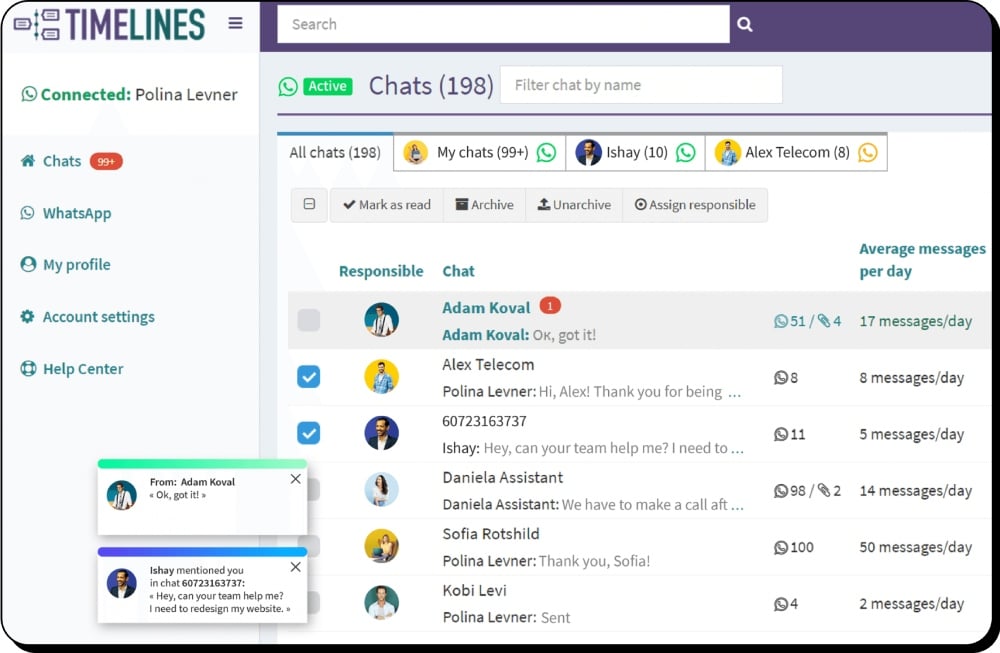
Timelines WhatsApp shared inbox for teams