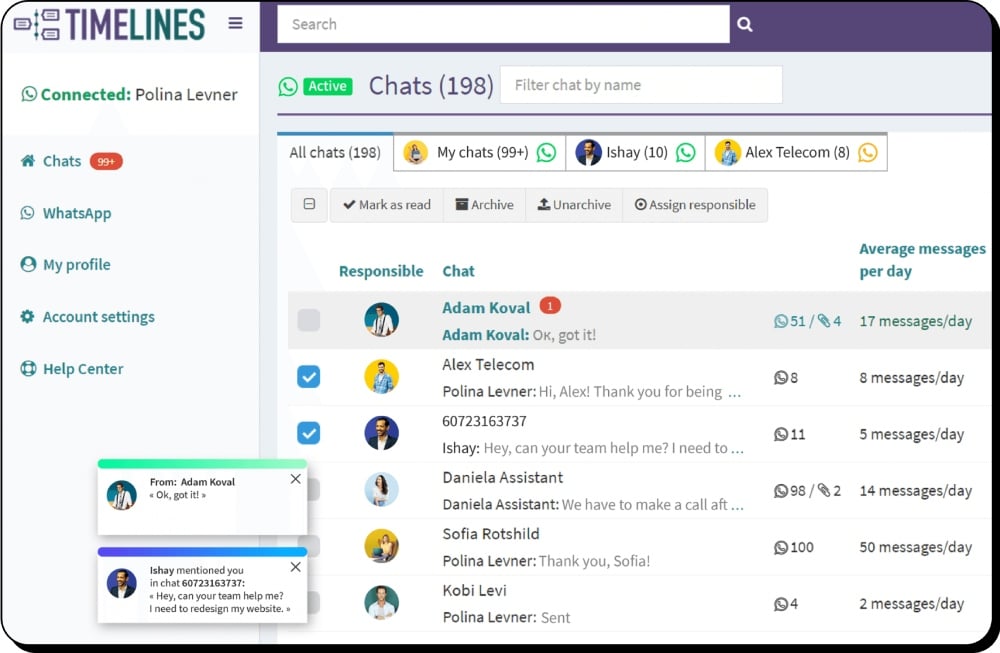
Send Mass Messaging Campaigns on WhatsApp
Tired of typing each WhatsApp message manually? Our mass messaging feature lets you send messages to all your contacts in just a few clicks.
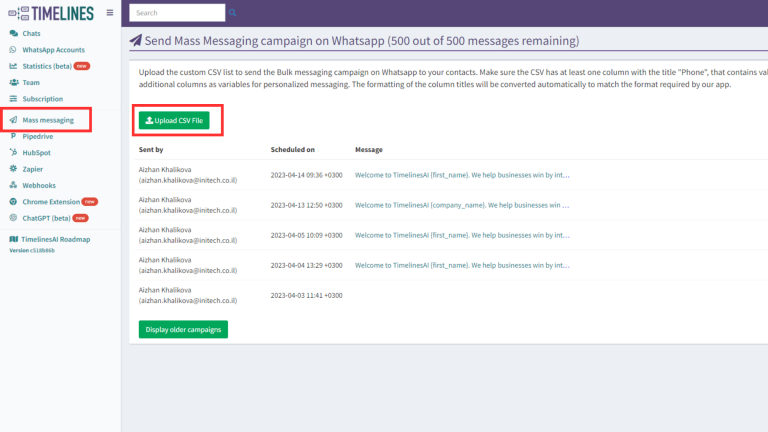
- Upload CSV file with contacts
- Send personalized mass messages
- Schedule mass messaging campaigns
- Export delivery report of the mass messaging campaign
Easy-to-use Platform for WhatsApp Outreach
With Timelines mass messaging, you can reach your audience instantly and effectively. Boost your engagement rates with personalized messages that appeal to your target audience.
Reach Large Groups of Contacts
You can export contacts from your CRM and upload them to Timelines to reach out to them on WhatsApp at scale.
Segment Your Chats
You can segment or filter customer chats by labels, responsible agents, types (groups or direct chats), etc., and save these lists as presets.
Create Templates for Your Campaigns
You can set a template that your team will use to send mass messages, start new chats, or answer the most common inquiries from your clients.
Start Using in Minutes
No pre-setup is required, just scan a QR code, invite your team, and start using it instantly. Try for free for 10 days, no credit card is required!
Schedule Mass Messaging Campaigns
Timelines makes it easy to create and schedule targeted messages to your audience on WhatsApp. Whether you want to send out promotional offers, event announcements, or simply stay in touch with your customers.
Track Delivery Performance
With detailed reporting and analytics, you can track the success of your campaigns. Download the delivery report file and track the status of each message delivery.
How to Launch Mass Messaging on WhatsApp
Get started with WhatsApp mass messaging in just a few simple steps.
Sign up and connect WhatsApp
Create a free Timelines account and connect your WhatsApp number by scanning the QR code.
Upload your contacts
Export contacts from your CRM and upload a CSV file with contact numbers to Timelines. If you didn't have a messaging history with a contact, Timelines will initiate a new chat automatically.
Create your campaign
Set up your message template with personalization variables, choose a specific day and time to send, and select which WhatsApp numbers to send from.
Track results
Get a notification via email once the campaign is fully delivered. Download the delivery report to track the status of each message.
Frequently Asked Questions











Ready to Launch Your WhatsApp Mass Messaging Campaign?
Start your 10-day free trial today. No credit card required.