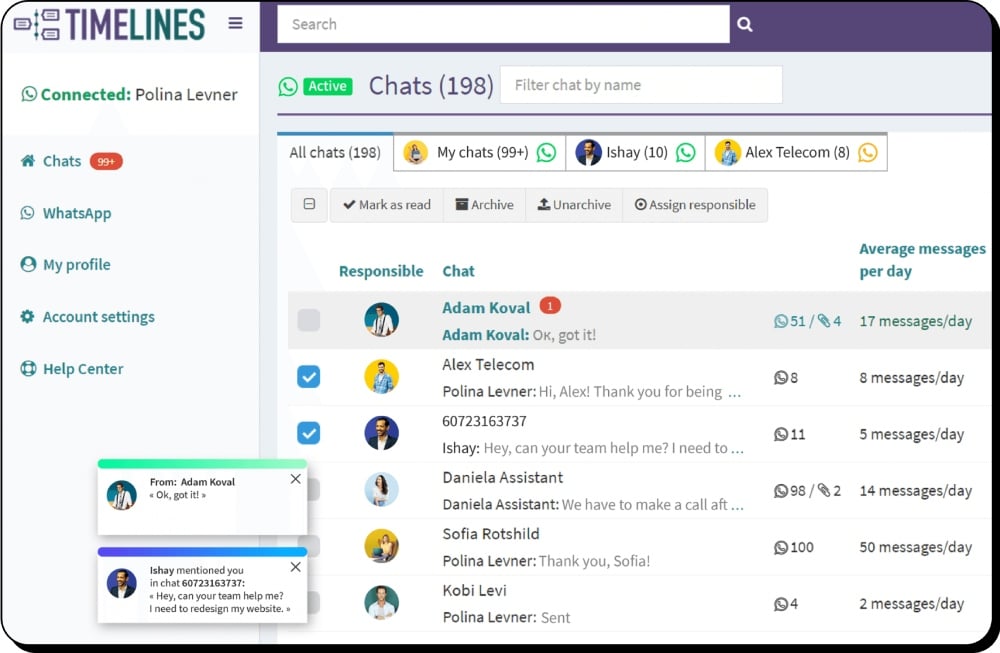
HubSpot WhatsApp Integration
Sync WhatsApp messages with HubSpot in real time. Automate updates to Contacts and Deals, collaborate seamlessly with your team.
- Sync unlimited WhatsApp numbers into HubSpot
- Native integration with HubSpot Workflows
- Shared inbox for WhatsApp across your team
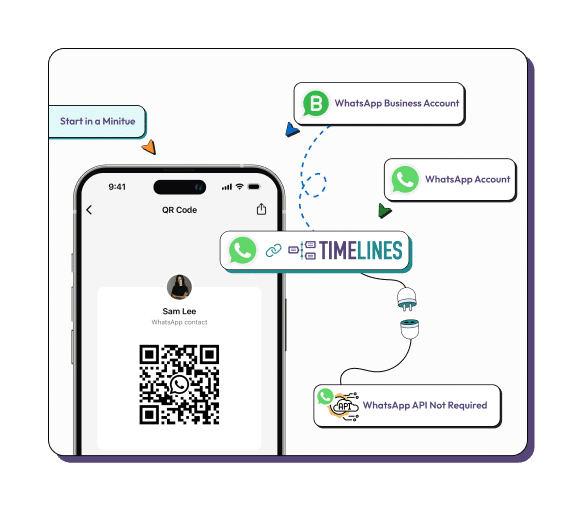
- Easy 2-minute setup with QR code — no API needed
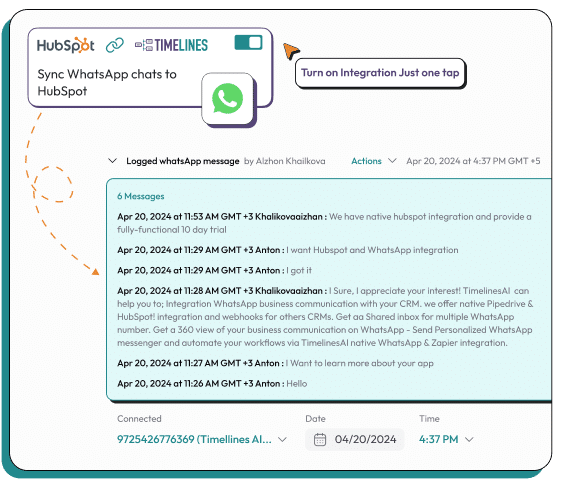
Timelines integration with HubSpot CRM.
Hi and Welcome! This demo will take just a few minutes. Follow along to find out more about Timelines integration with HubSpot CRM.
What is Timelines HubSpot WhatsApp Integration?
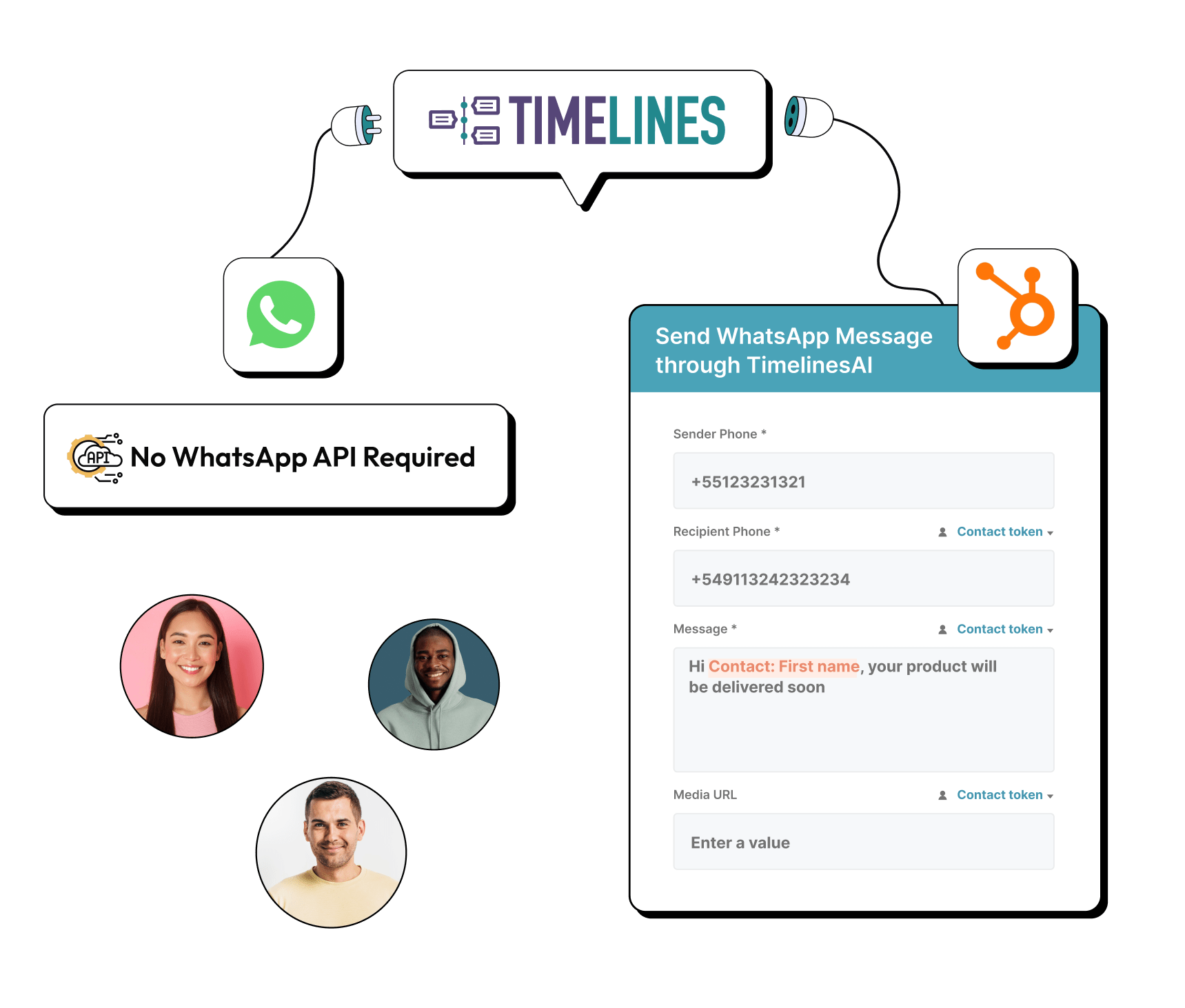
Timelines is a WhatsApp-CRM integration platform that connects your WhatsApp accounts directly to HubSpot CRM. Unlike solutions requiring WhatsApp Business API setup, Timelines works with both personal WhatsApp and WhatsApp Business accounts — you simply scan a QR code to connect.
Once connected, all WhatsApp messages automatically sync to HubSpot Contacts and Deals in real-time. The integration supports unlimited WhatsApp numbers, making it ideal for sales teams where each representative uses their own number.
Timelines integrates natively with HubSpot Workflows, allowing you to trigger automated WhatsApp messages based on deal stage changes, form submissions, or any HubSpot automation trigger. Messages appear in the HubSpot Activity Timeline with full conversation history, attachments, and media files.
Brilliant Tool for Managing All WhatsApp Chats in One Convenient Place
“It's a brilliant service — super effective and easy to use. You can track all your WhatsApp conversations in one place. Definitely recommend it!”
Tuncsiper, B.
·Verified HubSpot Marketplace Review
·Jun 4, 2025
Key Features of HubSpot WhatsApp Integration
Everything you need to manage WhatsApp conversations in HubSpot
Real-Time Message Sync
All messages are synced to HubSpot Contact timelines and Deals within 2–5 seconds. Includes text, images, documents, voice notes, and other attachments. Full conversation history appears in the HubSpot activity timeline.
How to Connect WhatsApp to HubSpot
Get started in 4 simple steps, no technical knowledge required.
Sign Up for Trial
Create a Timelines account. The 10-day trial is fully featured, no credit card required.
Connect WhatsApp
Scan the QR code with your WhatsApp app to connect your personal and business accounts.
Connect HubSpot
Authorize Timelines for HubSpot with a single click. Select Contacts, Deals, Tickets.
Start Syncing
Messages automatically sync to HubSpot Contacts and Deals. Your team is ready to start.
Timelines Pricing for HubSpot Integration
Timelines offers three pricing tiers. All plans include the core HubSpot integration. Pricing is per user, per month. Each user can connect one WhatsApp account.
Free Trial: All plans include a 10-day free trial with full functionality. No credit card required to start.
Timelines vs HubSpot Native WhatsApp Integration
There are several ways to connect WhatsApp to HubSpot. Here's how Timelines compares to the main alternatives.
| Feature | Timelines | Native HubSpot WhatsApp | Other Competitors |
|---|---|---|---|
| WhatsApp Business API Required | ✗Not required | ✗Required | ✗Varies |
| Multi-Number Support | ✓Unlimited | ✓1 Number | ✗Limited |
| Setup Time | ✓2 Minutes | ✓4 Business+ | ✓Varies |
| Message Template Approval | ✗Not required | ✗Required | ✗Required |
| Starting Price/user | ✓$25/mo | ✓$800+/mo | ✓$30+/mo |
What HubSpot Users Say About Timelines
Frequently Asked Questions about HubSpot WhatsApp Integration











Ready to Connect WhatsApp to HubSpot?
Start your 10-day free trial today. No credit card required.