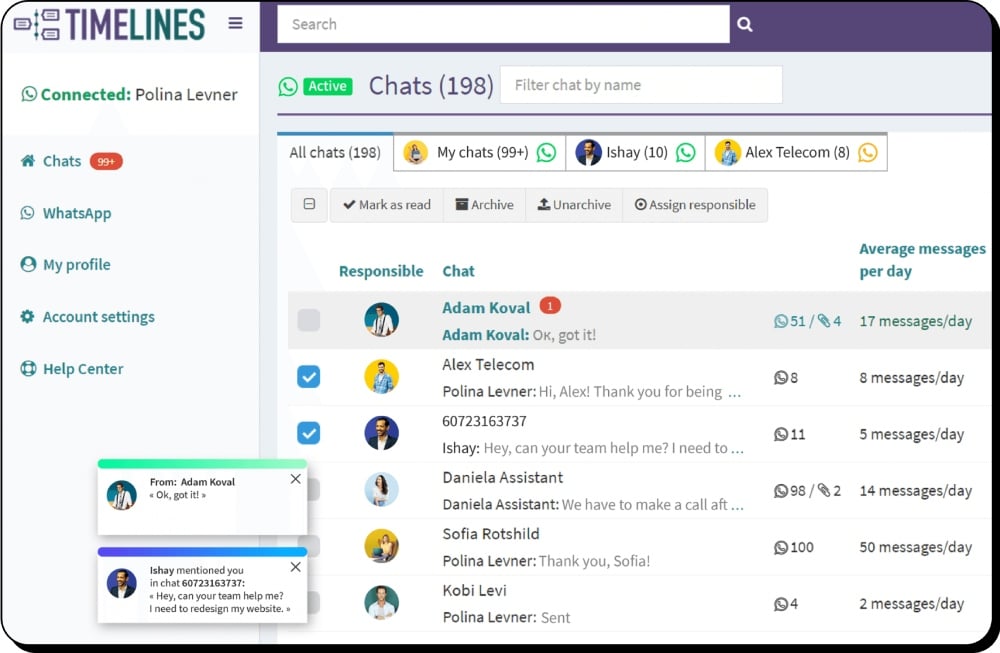
Automate WhatsApp Conversations with ChatGPT Agents
Create custom AI agents with OpenAI, connect them to your WhatsApp numbers in Timelines, and handle chats instantly with full control.
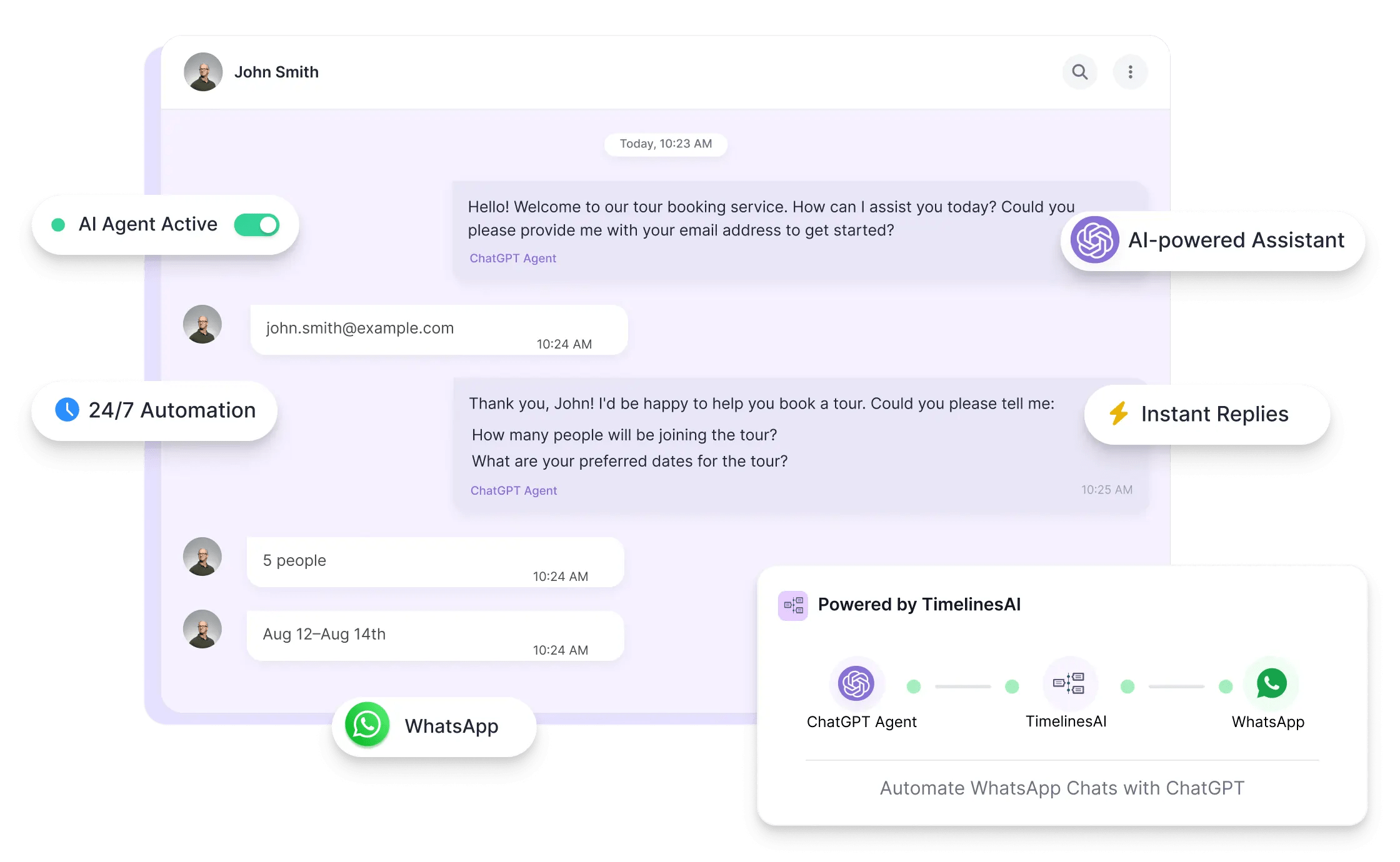
- Instant replies on WhatsApp chats, 24/7
- Smart AI answers trained with your custom instructions
- Seamless switch from AI to human agents when needed
- One-click chat summaries powered by ChatGPT
What You Can Do with ChatGPT Agents in Timelines
Connect Any OpenAI Assistant
Use any assistant you've created in OpenAI — custom models, fine-tuned behavior, and tools included.
Custom Instructions & File Support
Add system instructions, upload files, and define how the agent should respond — your AI, your way.
Works in New or Existing Chats
Choose whether the agent joins only new direct chats or continues in ongoing ones.
Smart Reply Delay
Set how long the agent should wait before replying — combine multiple messages into one smart response.
1-Click Chat Summaries
Skip the scroll — generate full conversation summaries instantly with ChatGPT.
Automatic Human Handoff
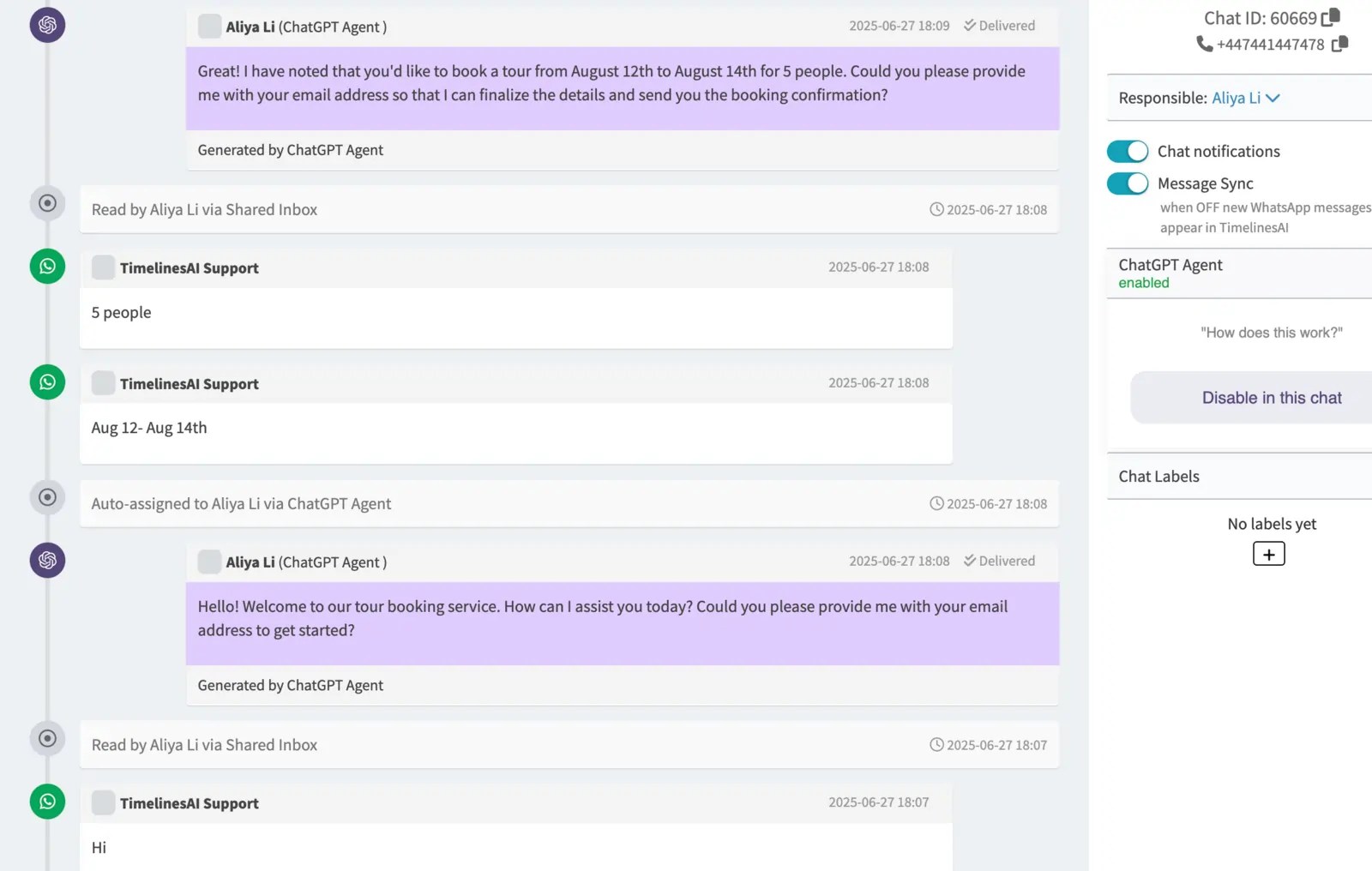
When a teammate replies, the AI steps back. No overlap, no confusion.
Usage & Quota Tracking
Track every reply — see which agents are active and how credits are used in real time.
Per-Chat Control
Enable or disable the agent manually in any chat — or let Timelines handle it automatically.
How ChatGPT AI Agents Fix WhatsApp Automation Problems
Slow Replies
Are slow response times frustrating your leads and customers?
AI replies instantly, 24/7 — even when your team is offline.
Robotic Responses
Do generic auto-replies feel robotic and hurt engagement?
Custom, intelligent replies trained using your own instructions and files.
Chat Overload
Struggling to keep up with chats during peak hours or weekends?
Let AI handle first replies and collect key info automatically — even during busy hours.
No Handoff
Is there no seamless way to switch from AI to a real person?
Timelines auto-disables the agent when a human responds — ensuring a natural switch.
Automate Smarter with ChatGPT Agents
Most teams struggle to reply fast and stay personal. With ChatGPT AI Agents in Timelines, you can automate smarter without losing the human touch.
Frequently Asked Questions











Start Automating WhatsApp with ChatGPT Agents Today
Connect your OpenAI assistant to Timelines and transform how your team handles WhatsApp chats — faster replies, smarter conversations, and less manual work.